
A cleaner product workflow
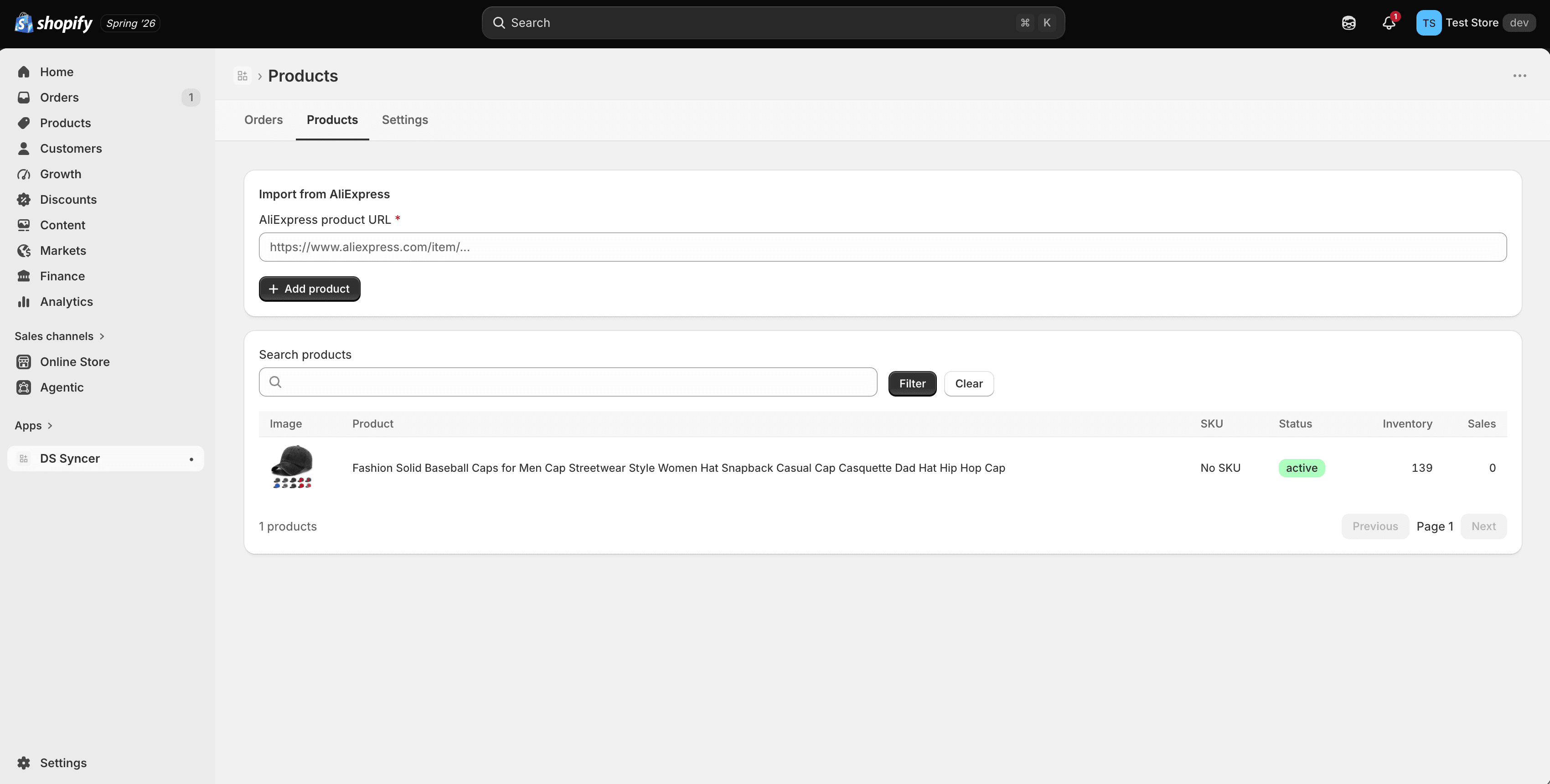
Import products, review variants, and decide exactly what belongs in your store before you sync.
AliExpress operations for Shopify
Import products, manage catalog updates, and follow orders from one simple workspace—without repetitive store admin.
Runs inside Shopify admin. Install on Shopify and connect in minutes.
A focused workflow for Shopify merchants
Less operational drag
Product data changes. Inventory moves. Orders need attention. When every update lives in a different tab, small tasks become a daily operating burden.
DS Syncer brings the important work together and gives you clear control over what moves between systems.
Core capabilities
A focused set of tools for managing catalog and order operations as your store grows.
Import products, review variants, and decide exactly what belongs in your store before you sync.
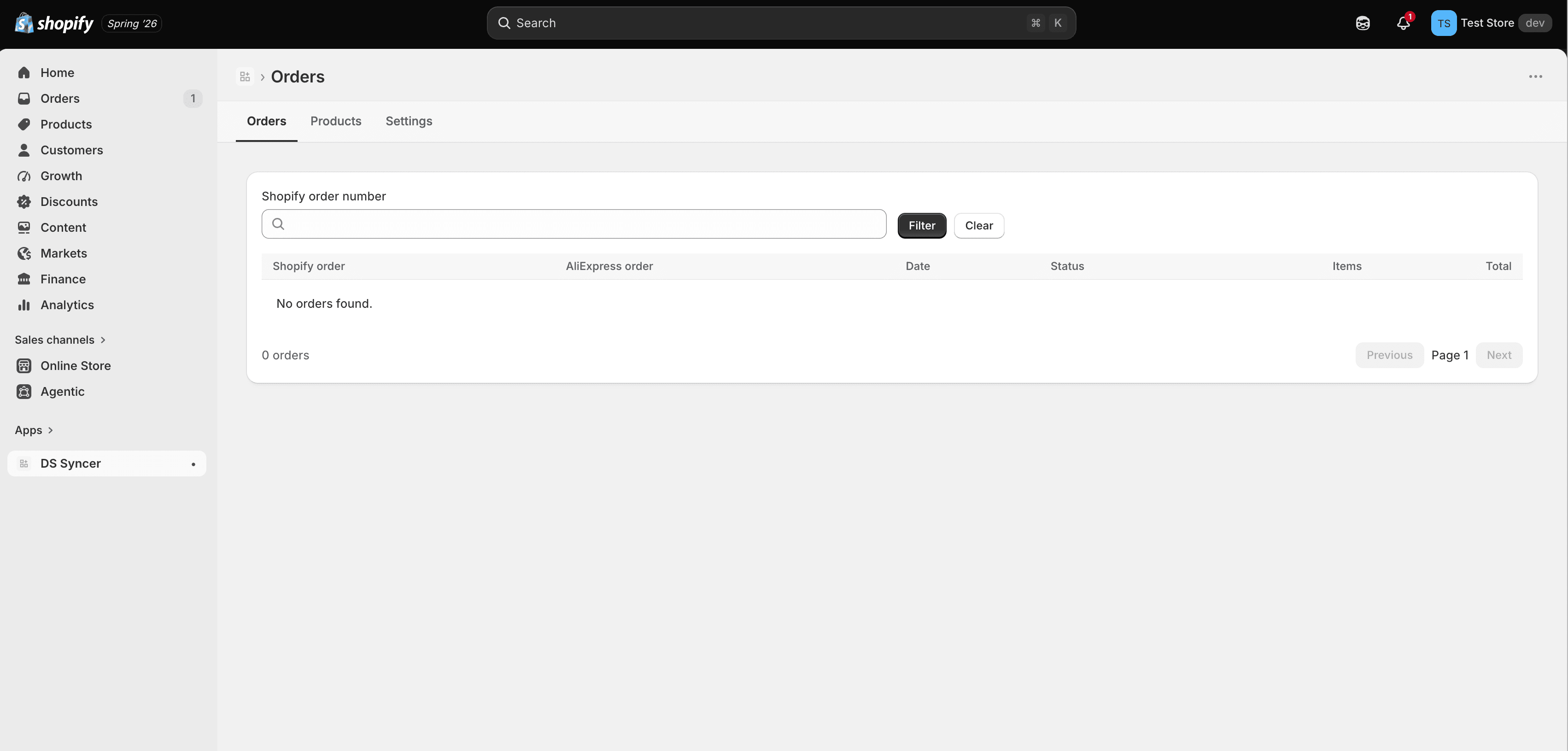
See store orders and supplier details together, with the context you need to keep fulfillment moving.
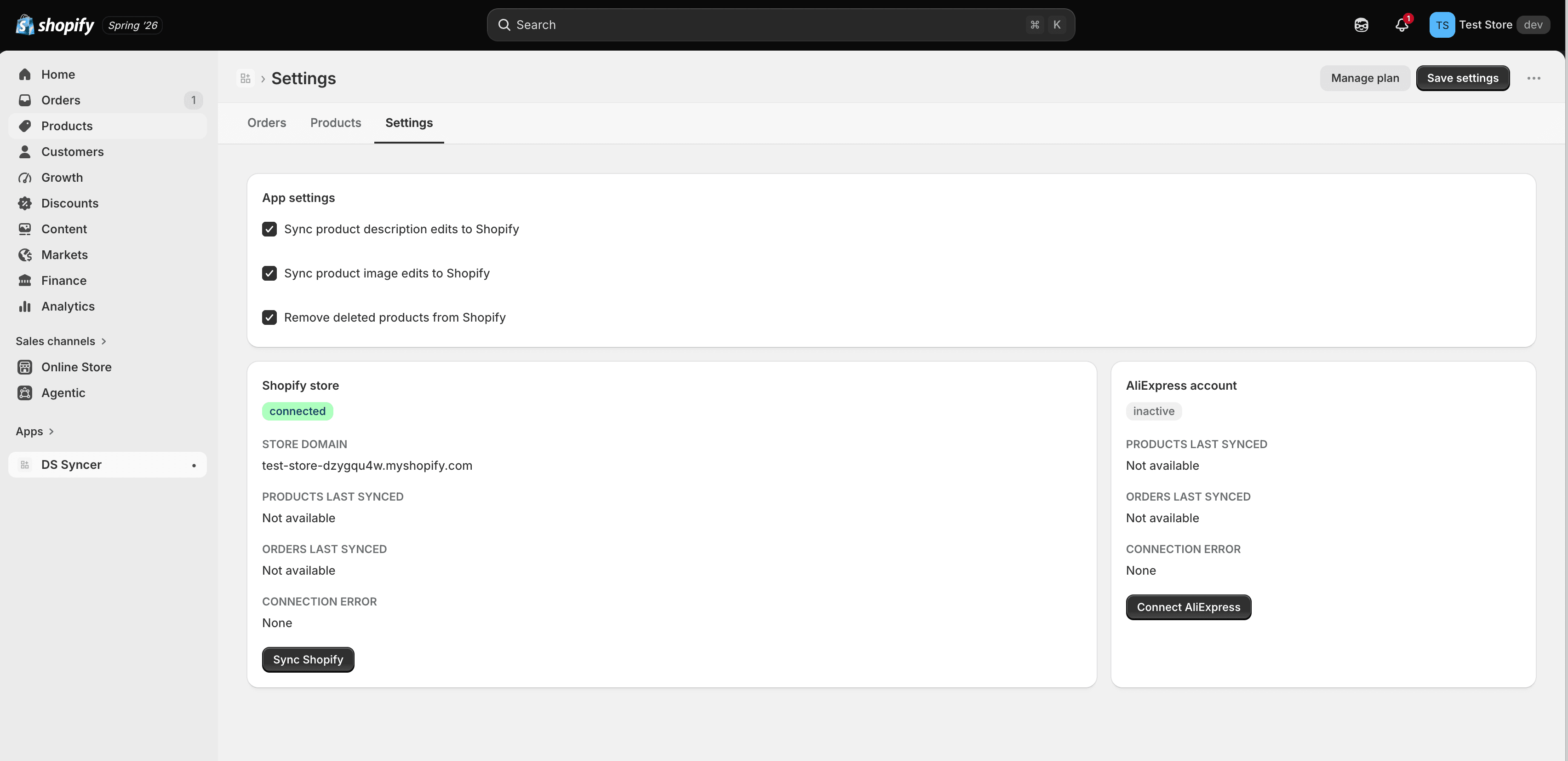
Choose whether product descriptions, images, prices, inventory, and deleted products are updated.
Check connection status and recent product, order, and fulfillment sync activity from one place.
Work with products, variants, options, images, SKUs, inventory, and pricing without flattening your data.
Start with a small catalog and move up when your product and monthly order volume increases.
Orders in context
Search storefront orders, see supplier order references, and keep fulfillment status in the same operating view.
Useful controls
Keep merchandising decisions in your hands while automating the repetitive movement of catalog data.
How it works
Start with a small catalog, confirm the workflow, and expand when the process fits your business.
Add DS Syncer to Shopify and open it without leaving your store admin.
Securely connect your supplier account and choose the products you want to manage.
Keep products and orders aligned while retaining control over the updates sent to Shopify.
Proof over promises
Connection and recent sync status stay easy to inspect.
You decide which catalog updates belong in your storefront.
Usage, billing, and settings stay attached to the relevant shop.
Pricing
Every plan includes the core DS Syncer workflow. Plans differ by product count, monthly orders, and order-history retention.
For new stores building a repeatable operation.
For growing catalogs with consistent monthly sales.
For established stores with higher operating volume.
FAQ
Clear answers about setup, controls, and billing.
Yes. The Shopify app opens inside Shopify admin, so products, orders, settings, and billing stay close to the rest of your store workflow.
Yes. You can control description and image updates and choose whether products deleted at the source should be removed from Shopify.
Yes. The free onboarding plan supports one product and five monthly orders, so you can validate the workflow first.
Shopify stores use Shopify billing. Paid plan approval and subscription management remain within the Shopify experience.
A simpler operating rhythm
Start small, connect your workflow, and scale when you are ready.